What Are Meta Ads? The Complete Beginner's Guide to Meta Advertising in 2026
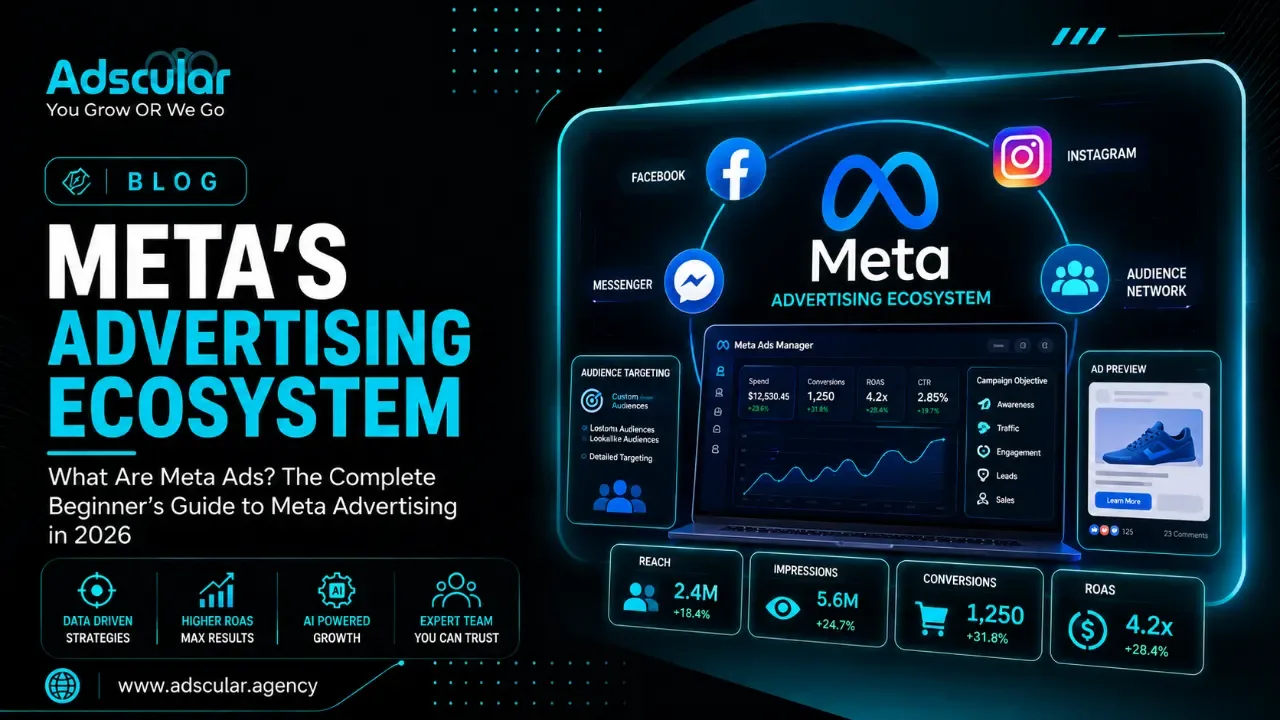
How Meta Ads Advertising Actually Works — And How to Use It to Grow Your Business
Written by the Adscular Agency growth team | June 27, 2026 | 9 min read
Introduction:
Quick Answer: Meta ads are paid advertisements that appear across Facebook, Instagram, Messenger, Threads, and the Meta Audience Network — all managed from a single platform called Meta Ads Manager. Businesses of every size use meta advertising to reach specific audiences based on demographics, interests, behaviors, and purchase intent, then pay only when those ads deliver measurable results.
In 2026, Meta's advertising ecosystem reaches over 3.27 billion daily active users across its family of apps. Meta reported $200.97 billion in full-year 2025 revenue, with advertising accounting for 97% of that total. The scale is unmatched — and so is the opportunity for businesses that know how to use it.
At Adscular Agency, we manage Meta advertising campaigns for service businesses, e-commerce brands, healthcare providers, legal firms, and B2B companies across the US. The guide below is what we wish every new advertiser had read before spending their first dollar.
What Are Meta Ads?
Meta ads are paid promotions that appear inside Meta's apps — Facebook, Instagram, Messenger, Threads, and the Audience Network — and are built, managed, and measured in one tool: Meta Ads Manager. You choose who sees your ad, where it appears, what format it takes, and what action you want the viewer to take, then Meta's algorithm optimizes delivery to reach the users most likely to respond.
Why Meta Advertising Matters for Business Owners and SMBs
Meta advertising is the most precise mass-reach channel available to businesses that don't have enterprise budgets. No other platform lets you target a 35–55-year-old homeowner in Phoenix who is interested in kitchen remodeling and has recently searched for contractors — and show that person a video ad while they scroll Instagram on their lunch break.
For small and mid-size businesses, that targeting precision is the point. You don't need to reach everyone. You need to reach the right people at the right moment with an offer that matches where they are in the buying process. Meta's advertising infrastructure makes that possible at a starting budget of as little as $5 per day.
The numbers tell the story. Meta now serves 11.8 million active advertisers and is projected to generate $167 billion in ad revenue in 2026. Businesses keep spending because meta advertising keeps working — when it is built correctly.
For a broader understanding of how Meta ads fit inside a full-funnel paid strategy, read our comparison of Google Ads vs Meta Ads for lead generation.
How Do Meta Ads Work?
Meta ads operate on an auction-based delivery system. Every time a user opens Facebook or Instagram, Meta runs a real-time auction to decide which ads that user sees. The winner is not simply the highest bidder — Meta calculates a Total Value Score based on three inputs:
- Advertiser bid — how much you are willing to pay per result
- Estimated action rate — how likely this specific user is to complete the desired action
- Ad quality and relevance — how useful, accurate, and engaging your creative is for that audience
This means a well-built ad with a modest budget can outperform a poorly built ad with a large budget. Quality and relevance are not soft metrics — they directly determine whether your ads get shown at all and at what cost.
The Meta Ads Campaign Structure
Every Meta advertising campaign follows a three-level hierarchy. Understanding this structure is the foundation of building campaigns that perform.
Level 1: Campaign The campaign is where you set your objective — the primary outcome you want Meta to optimize for. Meta offers six core objectives in 2026:
|
Objective |
Best For |
Meta Optimizes For |
|
Awareness |
Brand reach, new market entry |
Impressions, reach, video views |
|
Traffic |
Driving visitors to your website or app |
Link clicks, landing page views |
|
Engagement |
Growing page follows, post interactions |
Reactions, comments, shares |
|
Leads |
Collecting contact information |
Form fills, Messenger conversations |
|
App Promotion |
Mobile app installs or in-app events |
Installs, registrations, purchases |
|
Sales |
Direct revenue from website or catalog |
Purchases, add-to-cart, checkouts |
Choosing the wrong objective is the most common mistake beginners make. If you want leads but you select Traffic, Meta will optimize for clicks — not form fills. The outcome you tell Meta you want is the outcome it pursues.
Level 2: Ad Set The ad set is where you define who sees your ad and how much you spend. This is where you set:
- Target audience (demographics, interests, behaviors, custom or lookalike audiences)
- Placements (Facebook Feed, Instagram Reels, Stories, Messenger, Audience Network)
- Budget (daily or lifetime)
- Schedule (run continuously or between specific dates)
- Bidding strategy (lowest cost, cost cap, bid cap, or target cost)
Level 3: Ad The ad is the actual creative — the image, video, copy, headline, and call-to-action button a user sees. You can run multiple ad variations within a single ad set, which lets you test different creative approaches against the same audience.
How Meta Decides Who Sees Your Ad
Meta does not show your ad to every person in your defined audience. Meta's algorithm analyzes historical data to find the specific users within your audience who are most likely to take the action you selected as your objective. This is called delivery optimization, and it is the reason why two advertisers targeting the same audience with the same budget can see dramatically different results based on their objective and creative quality.
Meta Ad Placements: Where Your Ads Actually Appear
Meta ads are paid advertisements that can appear on Facebook, Instagram, Messenger, and the Audience Network. In 2026, Threads has been added as an additional placement with global availability since October 2025.
Facebook Placements
- Facebook Feed — Sponsored posts that appear between organic content in the main scrolling feed. The highest-traffic placement for most advertisers.
- Facebook Stories — Full-screen vertical ads that appear between users' Stories. Auto-advances after the ad plays.
- Facebook Reels — Short-form video ads inserted between organic Reels content.
- Facebook Marketplace — Ads appearing in the browse and search section of Marketplace, effective for local and e-commerce businesses.
- Facebook In-Stream Video — Mid-roll video ads that appear within longer video content.
- Facebook Right Column — Desktop-only placement shown in the right sidebar. Lower CPM, often used for retargeting.
Instagram Placements
- Instagram Feed — Sponsored posts appearing between organic content in the main feed. Square (1:1) and vertical (4:5) formats perform best.
- Instagram Stories — Full-screen ads between users' Stories. The 9:16 (1080x1920px) vertical format is mandatory.
- Instagram Reels — Full-screen vertical video ads between Reels content. The performance sweet spot for Reels ads is 15 to 30 seconds, with strong hooks in the first three seconds.
- Instagram Explore — Ads appearing when users browse the Explore discovery feed.
Additional Placements
- Messenger — Ads appearing in the Messenger inbox or as sponsored messages
- Audience Network — Meta's off-platform ad network extending delivery to third-party apps and websites
- Threads — Text-based feed ads between organic posts, available globally since late 2025
Important placement note for beginners: Rather than manually selecting placements, Meta recommends using Advantage+ Placements — an AI-driven setting that automatically distributes your budget across placements based on where your audience is most active and where your ad is likely to perform best. For most SMBs, this is the right default.
Meta Ad Formats: What Types of Ads Can You Run?
Meta has 11 ad formats across Facebook and Instagram in 2026, from single image and video to carousel, collection, Reels, Stories, and Advantage+ catalog ads.
The most important formats for business owners to know:
Single Image Ads
One static image with headline, body text, and a call-to-action button. The simplest format to produce and test. Recommended dimensions: 1080x1080px (1:1) for Feed, or 1080x1350px (4:5) for more vertical screen real estate on mobile. Square format delivers roughly 15% higher CTR than landscape formats in mobile Feed.
Video Ads
Video ads outperform static images for most awareness and consideration objectives because they capture attention longer and communicate more information. Keep Feed videos under 15 seconds for cold audiences. The first 3 seconds are critical — hook viewers immediately with movement, text, or visual interest, since most mobile users scroll quickly.
Carousel Ads
Two to ten swipeable cards, each with its own image, headline, and link. Carousels work well for showcasing multiple products, walking through a step-by-step process, or telling a sequential story. Each card can link to a different destination URL.
Collection Ads
A hero image or video paired with a grid of product images below. Tapping opens a fast-loading full-screen Instant Experience. Mobile-only. Requires a connected product catalog. Best for e-commerce product discovery.
Stories and Reels Ads
Full-screen vertical (9:16) immersive format. Stories and Reels are where mobile-first audiences spend significant daily time. Reels ads are capped at 90 seconds, though 15 to 30 seconds is the performance sweet spot. Always add captions — the majority of users watch without sound.
Advantage+ Catalog Ads (formerly Dynamic Product Ads)
Automatically pulls products from your catalog and shows them to users who have browsed your site or expressed interest in similar products. The most powerful retargeting format for e-commerce. Advantage+ Shopping Campaigns now represent 62% of ecommerce conversion spend on Meta, up from 34% in 2024.
Meta Ad Targeting: How to Reach the Right Audience
Targeting is where Meta's advertising power becomes concrete. You can define your audience using four main methods:
Core Audiences (Interest and Demographic Targeting)
Build audiences based on:
- Demographics — Age, gender, location, language, education, income, life events
- Interests — Topics, pages, and activities Meta users have engaged with (e.g., "home improvement," "personal finance," "fitness")
- Behaviors — Purchase behavior, device usage, travel patterns, business ownership status
- Connections — People who follow your Facebook page, people who attended your events, or their friends
Custom Audiences (Your Own Data)
Upload your existing customer data to reach people you already know:
- Website visitors — People who visited your site, tracked via the Meta Pixel or Conversions API
- Customer list — Upload an email or phone number list and Meta matches it to accounts
- Video viewers — People who have watched your video content on Facebook or Instagram
- Lead form openers — People who interacted with your previous lead ads
- Instagram or Facebook engagers — Anyone who has engaged with your page or profile
Lookalike Audiences (Prospecting at Scale)
Meta analyzes your best customers and finds other users who share the same behavioral and demographic patterns. A 1% lookalike of your top purchasers gives you a cold audience that resembles your proven buyers. Lookalikes are one of the highest-performing prospecting tools in Meta advertising when seeded from quality data.
Advantage+ Audience (AI-Driven Targeting)
In 2026, Meta's recommendation is to start with broader targeting and let the algorithm optimize, as overly restrictive manual targeting can limit campaign performance. Advantage+ Audience uses Meta's machine learning to automatically expand beyond your defined targeting to find additional high-converting users. Testing has shown that Advantage+ Audience often outperforms manually targeted campaigns, particularly for conversion-focused objectives.
For beginners, Advantage+ Audience is a strong starting point. For experienced advertisers with established creative libraries and audience data, layering manual audiences with Advantage+ is often the highest-performing approach.
How Much Do Meta Ads Cost in 2026?
Meta advertising costs are not fixed — they vary by industry, objective, placement, creative quality, and season. But the benchmarks below give you a realistic starting point.
2026 Meta Ads Cost Benchmarks
|
Metric |
2026 Benchmark |
Notes |
|
Average CPM (cost per 1,000 impressions) |
$13.48–$14.19 |
CPM jumped 20% year-over-year from $11.82 to $14.19 in 2026 |
|
Average CPC (cost per click) |
$0.78 (traffic) / $1.92 (lead gen) |
Varies significantly by industry |
|
Average CPA (cost per acquisition) |
$38.19 across all industries |
Up 38.1% from 2025 |
|
Average CTR |
1.4%–2.2% across industries |
Well-optimized campaigns reach 2%+ |
|
Target ROAS benchmark |
3x or higher for e-commerce |
Industry and margin dependent |
Cost by Industry (Selected Verticals)
A personal injury law client might generate $50,000+ in revenue, making a $187 acquisition cost highly profitable. The principle applies across high-LTV verticals: the cost of a Meta ad lead is only meaningful relative to the revenue that lead generates.
Seasonal cost patterns: The global median CPM hit a high of $25.22 in November 2025, then fell to $15.74 by January 2026. Q4 costs spike 30–50% due to holiday advertising competition. January through March is the most cost-efficient window for testing new creative and building audiences.
What Budget Do You Need to Start?
For SMBs new to meta advertising, a realistic starting budget is $30–$50 per day per active campaign. Below $20/day, Meta's algorithm has insufficient data to optimize delivery effectively — the learning phase takes longer and results are more erratic. For lead generation campaigns in competitive verticals (legal, healthcare, real estate), starting budgets of $50–$100/day produce data fast enough to make meaningful optimization decisions.
How to Set Up Your First Meta Ad Campaign: Step-by-Step
- Create a Meta Business Account — Go to business.facebook.com and set up your Business Manager. This is the parent account that holds your ad accounts, pages, and pixels.
- Set up the Meta Pixel and Conversions API — Install the Meta Pixel on your website to track visitor behavior and conversions. For better data accuracy in 2026, pair the Pixel with the Conversions API (CAPI), which sends conversion data server-side — bypassing browser privacy restrictions that reduce Pixel accuracy.
- Connect your Facebook Page and Instagram account — Your ads need a page to run from. Connect both assets in Business Manager.
- Open Meta Ads Manager — Navigate to ads.meta.com/adsmanager. This is where all campaigns are built and monitored.
- Create a new campaign and select your objective — Choose the objective that matches the business outcome you want: Leads for form fills, Sales for purchases, Traffic for website visits.
- Define your ad set — Set your audience (start with a broad Advantage+ Audience or a Custom Audience if you have existing data), select Advantage+ Placements, and set your daily budget.
- Build your ad creative — Upload your image or video, write your primary text (the body copy above the image), add a headline, and select a call-to-action button. Use clear, benefit-driven copy. The first line of your primary text must stop the scroll.
- Review and publish — Meta reviews ads for policy compliance before they go live, typically within 24 hours. Approval times can extend to 48 hours for new accounts.
- Monitor the learning phase — Meta's algorithm needs 50 optimization events per ad set within a 7-day window to exit the learning phase. During this period, costs and delivery fluctuate. Avoid making significant changes to an ad set while it is learning.
- Analyze, test, and iterate — After the learning phase, evaluate your cost per result against your target. Test one variable at a time — different creative, different audiences, different offers — to identify what drives performance improvements.
Meta Ads vs Facebook Ads: What Is the Difference?
This is one of the most common questions beginners ask.
Facebook Ads is the legacy term for advertising on the Facebook platform specifically.
Meta Ads is the current term for the entire advertising ecosystem — covering Facebook, Instagram, Messenger, Threads, and the Audience Network — all managed through one system.
Meta ads include advertising across Facebook, Instagram, Messenger, and Audience Network, while Facebook ads specifically focus on the Facebook platform.
In practice, when someone says "Facebook advertising" today, they usually mean Meta advertising — the two terms are often used interchangeably by marketers. But technically, Meta advertising is the broader, more accurate term for what the platform delivers in 2026.
Advantage+ Campaigns: Meta's AI-Powered Advertising in 2026
Advantage+ represents Meta's shift toward machine-learning-driven campaign management. Rather than manually defining every targeting parameter, Advantage+ gives Meta's algorithm more autonomy to find the right user at the right time.
The key Advantage+ campaign types:
- Advantage+ Shopping Campaigns (ASC) — Automated campaigns for e-commerce that optimize across prospecting and retargeting simultaneously. Meta's Advantage+ Shopping campaigns have matured significantly in 2026, delivering a 32% lower cost per acquisition compared to manually configured campaigns across eCommerce verticals.
- Advantage+ Audience — AI-driven audience expansion that reaches beyond your defined targeting to find additional high-value users
- Advantage+ Placements — Automatic distribution across Facebook, Instagram, Messenger, and Audience Network based on where performance is strongest
- Advantage+ Creative — Automatic creative variations that test different versions of your image, text, and headline to find the combination Meta's system predicts will perform best
For beginners, Advantage+ is the recommended starting point. It reduces the manual optimization work and often delivers stronger initial results than fully manual campaigns — because Meta's algorithm has significantly more data than any individual advertiser.
For businesses scaling Meta advertising with larger budgets, a hybrid approach — Advantage+ Shopping Campaigns for conversion objectives combined with manually structured prospecting for new audience segments — typically produces the best long-term performance.
Running Facebook advertising for your business but unsure whether your campaign structure is set up correctly? Read our guide on running ads from your Facebook Page for a step-by-step walkthrough.
Common Meta Ads Mistakes That Waste Budget
Choosing the wrong objective. Selecting Traffic when you want leads sends Meta looking for clickers, not form-fillers. Always match your objective to the conversion action you actually care about.
Stopping campaigns during the learning phase. Meta needs 50 optimization events in 7 days per ad set to exit learning. Making significant edits or pausing ad sets during this window resets the learning phase and wastes the data you have already paid for.
Targeting audiences that are too narrow. Hyper-specific interest targeting that produces an audience below 500,000 people limits Meta's ability to find the best users for your ad. Broader audiences with high-quality creative consistently outperform over-segmented ones.
Using the wrong creative format for the placement. Designing a landscape ad and running it in Stories creates a poor user experience and tanks performance. Match creative dimensions to placement requirements.
Scaling budgets too fast. Increasing a daily budget by more than 20–30% at a time resets the learning phase and destabilizes delivery. Scale in increments and give the algorithm 3–5 days to re-stabilize before evaluating performance.
Ignoring the Pixel and Conversions API setup. If Meta cannot track conversions on your website, the algorithm cannot optimize for them. A broken or incomplete Pixel is the single most common technical reason why campaigns underperform for new advertisers.
Meta Ads vs Google Ads: Which Is Better for Your Business?
Meta advertising and Google Ads are not competitors — they are complementary channels that serve different stages of the buying journey.
|
Factor |
Meta Ads |
Google Ads |
|
User intent |
Interest-based (passive discovery) |
Search intent (active demand) |
|
Targeting method |
Who the person is |
What the person is searching for |
|
Best for |
Awareness, lead generation, e-commerce, retargeting |
High-intent purchase searches, local service queries |
|
Creative format |
Visual — image, video, carousel |
Text-based (search), visual (display/YouTube) |
|
Average CPC (2026) |
$0.78–$1.92 depending on objective |
$2–$10+ in most competitive verticals |
|
Minimum effective budget |
$30–$50/day per campaign |
$30–$100/day depending on industry CPC |
|
Audience size |
3.27B daily active users (Meta family) |
Intent-based — limited by search volume |
The most effective paid advertising strategies in 2026 use both channels — Google Ads to capture active demand, Meta advertising to generate demand and retarget site visitors who did not convert. For a detailed side-by-side breakdown of which channel produces better results by vertical and objective, read our full guide on Google Ads vs Meta Ads for lead generation.
Frequently Asked Questions
What are Meta ads exactly?
Meta ads are paid advertisements managed through Meta Ads Manager that appear across Facebook, Instagram, Messenger, Threads, and the Meta Audience Network. Advertisers select an objective, define a target audience, set a budget, and create ad creative — then Meta's algorithm delivers those ads to the users most likely to complete the desired action, based on behavior, interest, and demographic signals.
Are Meta ads the same as Facebook ads?
Meta ads and Facebook ads refer to the same advertising platform. When Facebook rebranded to Meta in 2021, the advertising system was unified under the Meta brand. Facebook ads now refers specifically to ads placed on the Facebook platform, while Meta ads refers to the broader system covering Facebook, Instagram, Messenger, Threads, and the Audience Network. Most practitioners use the terms interchangeably.
How much do Meta ads cost per month?
Meta ad costs depend on your objective, industry, audience size, creative quality, and season. For a small business running a single lead generation campaign, a starting budget of $900–$1,500 per month ($30–$50/day) provides enough data to optimize effectively. The average cost per acquisition across all industries in 2026 is $38.19, but this varies significantly by vertical — healthcare and legal ads cost more per lead than e-commerce or retail.
What is a good ROAS for Meta ads?
A commonly cited benchmark for e-commerce Meta advertising is a 3x ROAS — meaning $3 in revenue for every $1 spent on ads. A 2025 analysis of nearly 35,000 eCommerce brands found that the median Meta Ads ROAS was 1.86. Whether a given ROAS is "good" depends on your margins. A business with 60% gross margins can sustain a 2x ROAS profitably. A business with 30% margins needs 4x or higher to remain profitable.
Do Meta ads work for small businesses?
Yes — Meta advertising is one of the most accessible paid channels for small businesses precisely because of its targeting granularity and flexible budgeting. You do not need a large spend to reach a defined local audience. A home services company targeting homeowners within 20 miles of their location can run effective campaigns at $30–$50/day. The challenge is not access — it is building creative and campaign structure that performs.
What is the Meta Pixel and do I need it?
The Meta Pixel is a small JavaScript code snippet installed on your website that tracks user behavior — page views, form fills, purchases, add-to-carts — and reports that data back to Meta Ads Manager. The Pixel is essential for running conversion-optimized campaigns, building retargeting audiences from website visitors, and measuring the actual revenue impact of your ad spend. In 2026, pairing the Pixel with the Conversions API (CAPI) provides more accurate tracking by sending conversion data server-side, bypassing browser-level privacy restrictions.
The Bottom Line
Meta ads are the most accessible, data-rich, and scalable paid advertising channel available to businesses that want to reach specific audiences on Facebook and Instagram with measurable results. The platform rewards advertisers who understand its structure — campaign objectives, audience targeting, creative quality, and the learning phase — and punishes those who guess.
The platforms, formats, and AI tools have evolved in 2026. The fundamentals have not. A clear objective, a well-defined audience, creative that stops the scroll, and a conversion path that actually works — those four elements determine whether Meta advertising generates revenue or burns budget.
At Adscular Agency, our Meta ads management services are built around measurable revenue outcomes — not vanity metrics. We manage campaign structure, creative testing, audience strategy, and budget allocation for SMBs and growth-stage businesses across the US that want meta advertising to produce real leads and sales, not just impressions.
Ready to find out what your Meta ad budget should actually be producing?
Book a free Meta Ads strategy audit →
We will review your current account structure, identify where the budget is being wasted, and show you specifically what changes would lower your cost per lead. No obligation.
Want to understand how Meta advertising compares to every other paid channel before committing a budget? Read our full breakdown of what is performance marketing and how it works.